Integration Pro
Website feedback, straight into GitHub issues
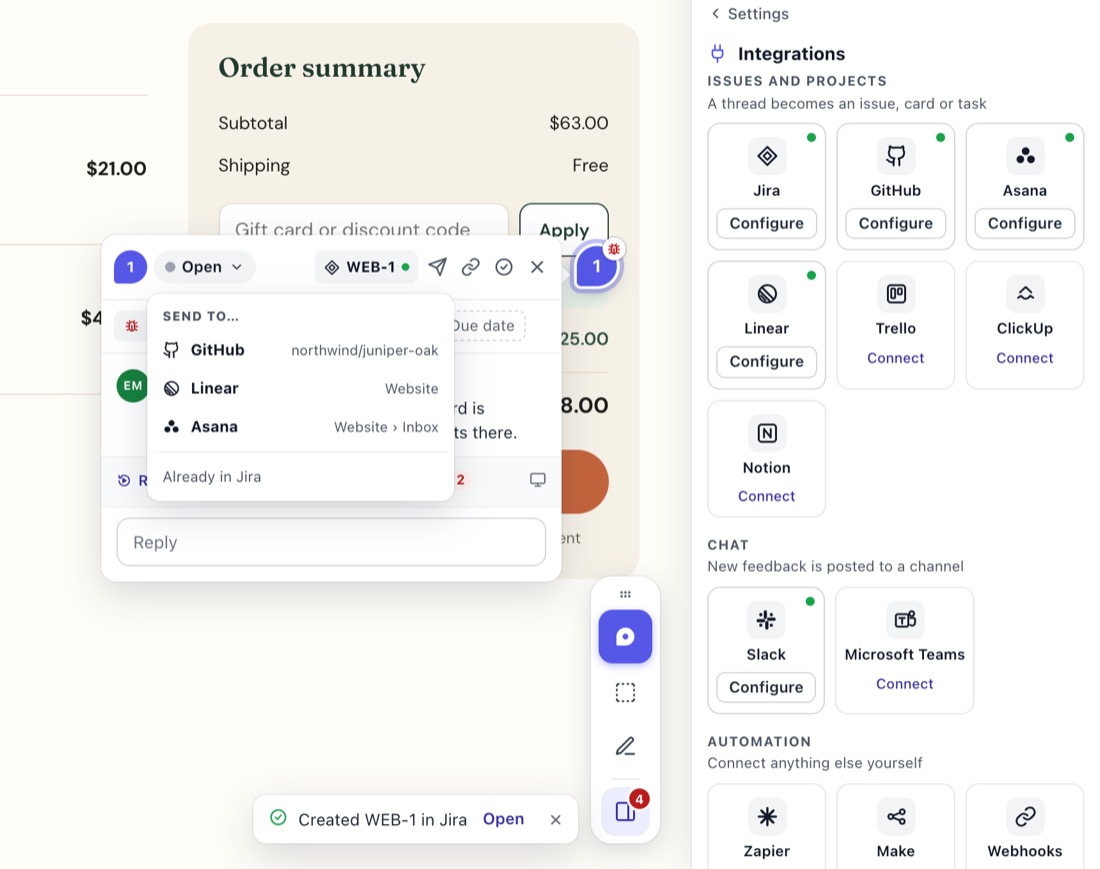
Someone pins a bug on the staging site. With one click it's a GitHub issue in the right repository, with everything a developer needs. When the pull request closes the issue, the pin resolves on its own.
On Pro and Agency. Try it free for 14 days, no card.
What goes into the issue
- Title: the comment's first line.
- Body: the comment (with the quoted text, for a text comment), the screenshot inline, and any files as links.
- Reporter and page: one quiet line, "Name on page", with the page linked.
- One link to StiqNote: "Watch what happened in StiqNote" when there's a replay (with a note when it includes the browser's console and network logs), "See the browser logs in StiqNote" when there are only logs, otherwise "Open in StiqNote".
- Labels: the comment's type goes in an existing label that matches, and a
stiqnotelabel is added (made in StiqNote's colour if the repo doesn't have one). You can turn the label off. - Assignee: the thread's assignee, when they're matched to a GitHub user.
Status, both ways
- Resolve the thread in StiqNote, and the issue closes.
- Close the issue in GitHub (by hand or from a pull request), and the thread resolves. Reopen it, and the thread reopens.
Comments, both ways
- StiqNote replies → GitHub comments: replies are posted by the StiqNote app as "Jane Smith via StiqNote". This only happens for private repositories, so client conversations don't end up in public.
- GitHub comments → StiqNote: comments on the issue come back to the pin as private notes. Your team sees them; clients don't, unless you choose to show them.
Safe before it's sent
Before an issue is created, StiqNote checks what it would expose and asks you to confirm if:
- the thread is private;
- the repository is public;
- the reporter's email address would be included.
Screenshots and files are linked with addresses that only work while the thread is linked to the issue.
Set it up
In the StiqNote sidebar, open Settings → Integrations, and click Connect next to GitHub.
GitHub asks you to install the StiqNote app. Pick the repositories it may use.
Back in StiqNote, choose the default repository. Each StiqNote project picks its own.
Choose Send threads: Ask each time, or Every new comment.
Then open any thread and click Send to… and pick GitHub (the button reads Send to GitHub when it's your only tool), or Link to existing… to link an issue that's already there (search by #12 or title).
People
StiqNote matches team members to GitHub users by the account they signed in with. Map anyone left over by hand. The list comes from the repository's assignees. You can also set a default assignee for issues from threads nobody is assigned to.
Questions
Which plan do I need?
Pro or Agency.
Can guests see the issue?
No. Guests never see that a thread is linked to an issue.
Does it work with GitHub Enterprise Server?
No, only with github.com.
On Pro and Agency. Every integration comes with Pro: GitHub, Linear, Jira, Asana, ClickUp, Trello, Notion, Slack, Microsoft Teams, webhooks and the MCP server.
See pricingStop sending screenshots in Slack
Pin the feedback where it belongs. Free to start, with 14 days of Agency for your first team.