Integration Pro
Report website bugs to Jira from the page
Find a bug on the site, pin it, and send it to the right Jira project as the right issue type. The developer gets the screenshot, the replay and the logs. When the issue moves to Done, the pin on the page resolves.
On Pro and Agency. Try it free for 14 days, no card.
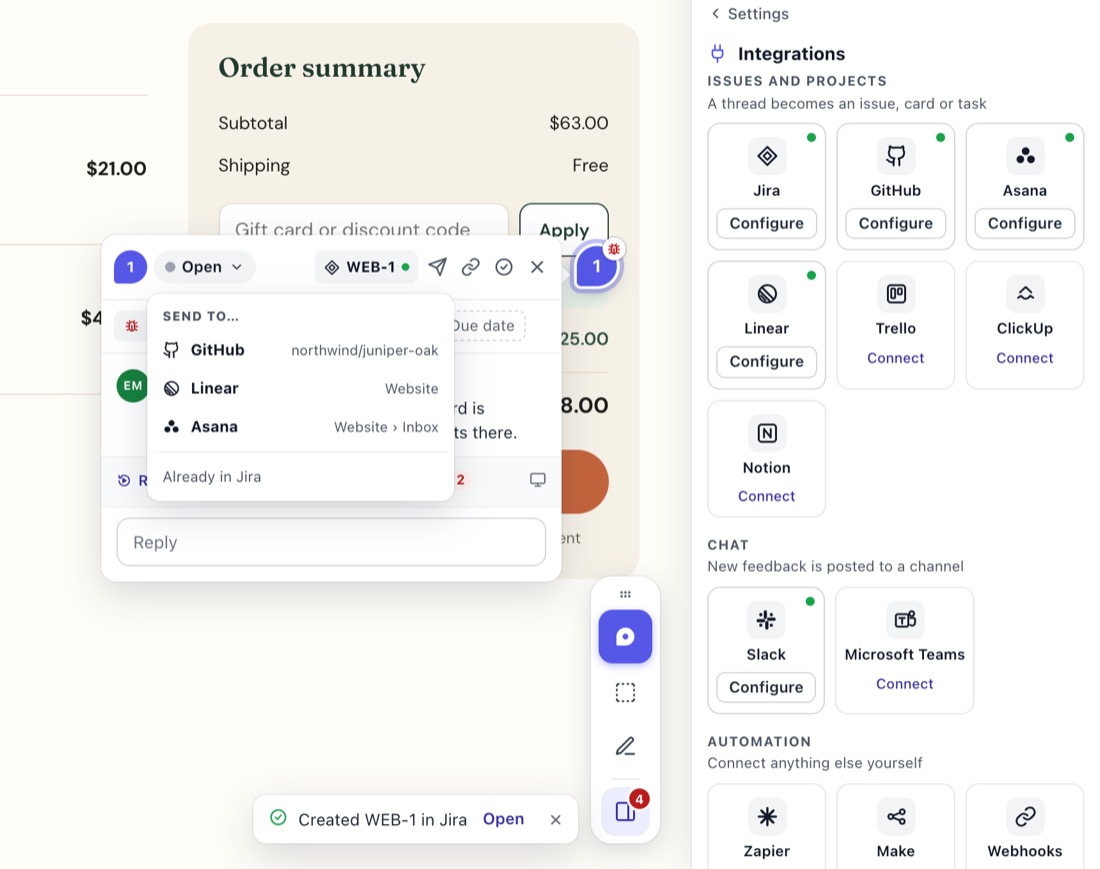
What goes into the issue
- Summary: the comment's first line.
- Description: the comment, a quiet "Name on page" line, and one link to StiqNote: Watch what happened (with a replay), See the browser logs (logs only), or Open in StiqNote.
- Screenshot and files: attached to the issue as real attachments.
- Issue type: the one you pick for the project.
- Priority: pick a default for comments left at Medium, or match the comment.
- Labels: a
stiqnotelabel, unless you turn it off. - Assignee: the thread's assignee when they're matched to a Jira user, or a default assignee.
If Jira refuses an optional field (some projects don't allow priority or labels), StiqNote leaves it out and creates the issue anyway.
Required fields
Some Jira projects require extra fields. StiqNote checks the project and issue type when you pick them. If fields are missing, the settings say which ones (Fix required fields), and nothing is sent there until it's sorted, so no issue fails halfway.
Status, both ways
- Resolve the thread, and the issue moves into a Done status.
- Reopen it, and it moves back to a new status.
- Move the issue in Jira, and the thread follows: Done resolves it, anything else keeps it open.
Comments, both ways
- StiqNote replies → Jira comments: posted by the app as "Jane Smith via StiqNote". Private replies never go.
- Jira comments → StiqNote: comments on the issue come back to the pin as private notes. Your team sees them; clients don't, unless you choose to show them.
Set it up
In the StiqNote sidebar, open Settings → Integrations and click Connect next to Jira.
Sign in with your Atlassian account and allow the Jira sites StiqNote may use.
Pick the default project and issue type. Each StiqNote project picks its own.
Choose Send threads: Ask each time, or Every new comment.
Check People, so assignees carry over.
Open a thread and use Send to… to create an issue, or Link to existing… to link one by key or text.
Your Atlassian data
StiqNote keeps only the Atlassian account id for the connection, not names, emails or pictures, and reports stored ids to Atlassian as its privacy rules ask.
Questions
Does it work with Jira Server or Data Center?
No. It works with Jira Cloud.
Which plan do I need?
Pro or Agency.
Can we use several Jira sites?
Yes. One connection covers every site the Atlassian account allowed.
On Pro and Agency. Every integration comes with Pro: GitHub, Linear, Jira, Asana, ClickUp, Trello, Notion, Slack, Microsoft Teams, webhooks and the MCP server.
See pricingStop sending screenshots in Slack
Pin the feedback where it belongs. Free to start, with 14 days of Agency for your first team.