Integration Pro
From a pin on the page to a Linear issue
Bugs and feedback found on the site land in Linear, in the team you pick, with the context that makes them easy to triage. When the issue is done, the pin on the page resolves.
On Pro and Agency. Try it free for 14 days, no card.
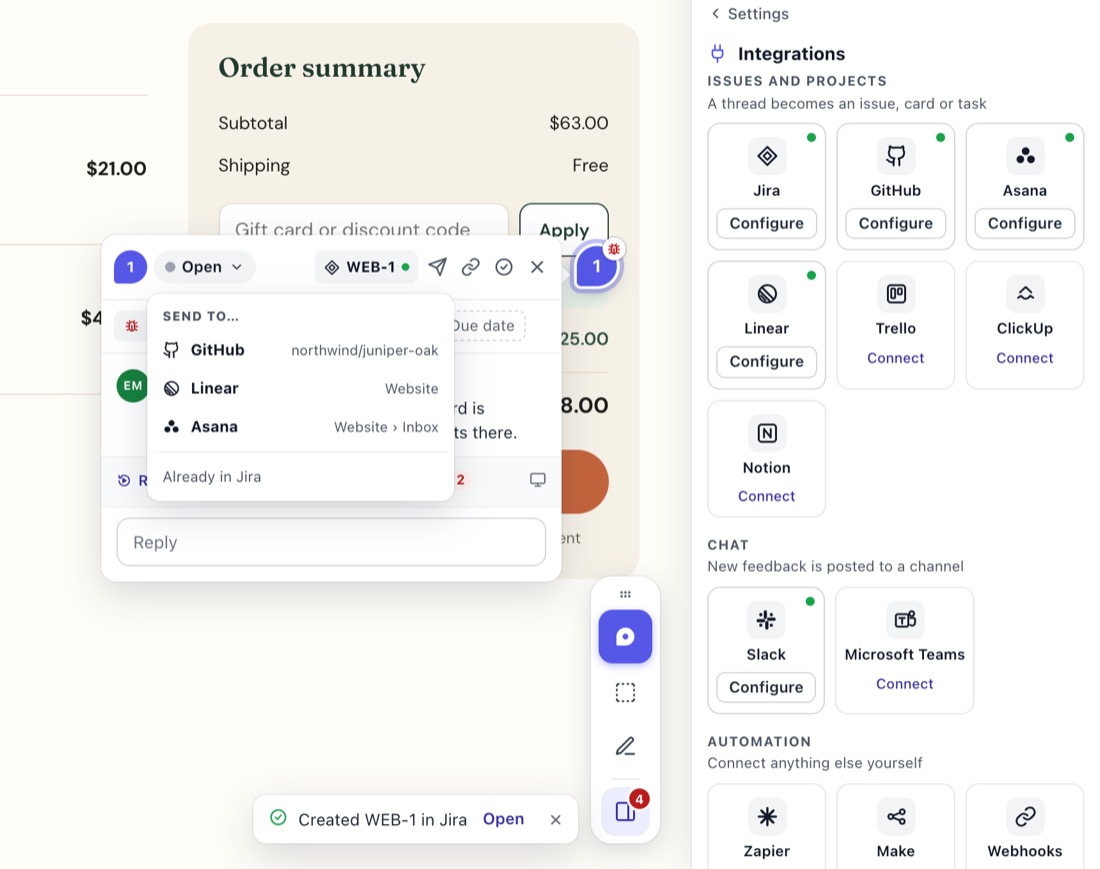
What goes into the issue
- Title: the comment's first line.
- Description: the comment, the screenshot inline, and links to the pin in StiqNote, the replay and any files.
- Details: page, browser, window size and more.
- Logs: a short line with the counts of errors and failed requests, linking to the full log in StiqNote.
- Triage: if the team uses Triage, new issues go there.
- Labels: the comment's type goes in a matching label when the workspace has one, plus a
stiqnotelabel (made if it's missing). You can turn it off. - Priority: comments at High, Low or Critical keep their priority. For comments left at Medium, pick a default priority, or match the comment.
- Assignee: the thread's assignee, when they're matched to a Linear user, or a default assignee.
Status, both ways
- Resolve the thread, and the issue moves to the team's first completed state.
- Reopen it, and the issue moves back to the first unstarted state.
- Complete or reopen the issue in Linear, and the thread follows.
Comments, both ways
- StiqNote replies → Linear comments: posted by the app as "Jane Smith via StiqNote". Private replies never go.
- Linear comments → StiqNote: comments on the issue come back to the pin as private notes, marked with Linear's logo. Your team sees them; clients don't, unless you choose to show them.
Change the thread's assignee in StiqNote, and the Linear issue's assignee changes too, when that person is matched.
Set it up
In the StiqNote sidebar, open Settings → Integrations and click Connect next to Linear.
Approve access in Linear. StiqNote acts as an app in your workspace, not as you.
Pick the default team. Each StiqNote project picks its own.
Choose Send threads: Ask each time, or Every new comment.
Check People: StiqNote matches members to Linear users by email. Map the rest by hand.
To send a thread, open it and click Send to… and pick Linear (the button reads Send to Linear when it's your only tool). To link an issue that already exists, use Link to existing… and search by key or title.
Questions
Which plan do I need?
Pro or Agency.
Are private comments sent?
Never, neither by hand nor with Every new comment.
What if we disconnect Linear?
Threads keep their links to existing issues. Reconnect the same workspace and your settings come back.
On Pro and Agency. Every integration comes with Pro: GitHub, Linear, Jira, Asana, ClickUp, Trello, Notion, Slack, Microsoft Teams, webhooks and the MCP server.
See pricingStop sending screenshots in Slack
Pin the feedback where it belongs. Free to start, with 14 days of Agency for your first team.